A model for the hardest part of agent work: staying useful after the first answer.
We're thrilled to announce that GLM-5.1 is now live in the NetMind Model Library, bringing Z.ai's next-generation flagship model for agentic engineering to NetMind's Hermes/OpenClaw/OpenAI-compatible API.
AI engineering workflows are moving from single-turn answers to long-running systems that can plan, use tools, read feedback, and keep improving. GLM-5.1 is built for that shift.
GLM-5.1 is designed for agentic engineering: multi-step coding tasks, tool-calling loops, repository-scale reasoning, terminal workflows, debugging, testing, and iterative optimization.
What changed is not only stronger first-pass code generation. It is the model's ability to keep working when the task gets messy. GLM-5.1 can break down ambiguous problems, run experiments, read results, identify blockers, revise its strategy, and sustain progress across hundreds of rounds and thousands of tool calls.
In practical terms, this is the kind of model you reach for when the task looks more like:
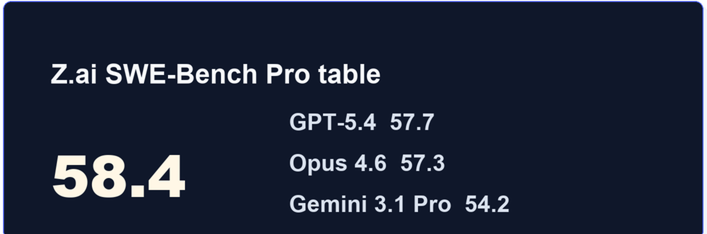
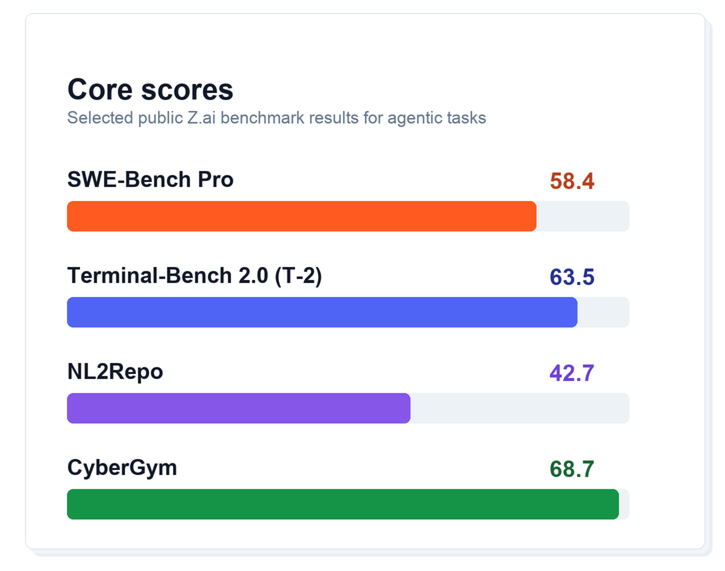
GLM-5.1 arrives with strong results across coding, terminal, and agentic evaluation suites.
Benchmarks are only one lens. For developers, the important signal is the pattern across task types: GLM-5.1 is built to plan, execute, recover, and keep context over long workflows where lightweight coding models often drift or plateau.
Most AI coding workflows still happen in short bursts: a prompt, a patch, a review, then a human steps back in.
GLM-5.1 is pushing toward a different pattern. It is built for scenarios like "building a Linux desktop over 8 hours", where the model is wrapped in a loop that reviews its own web-application output, identifies missing pieces, and continues improving the result. NetMind's model catalog carries the same long-horizon positioning, making GLM-5.1 a natural fit for agent workflows that need to persist beyond short prompt-response cycles.
That matters because real engineering work is rarely solved in one perfect response. Useful agents need to:
GLM-5.1 is optimized for exactly that style of work.
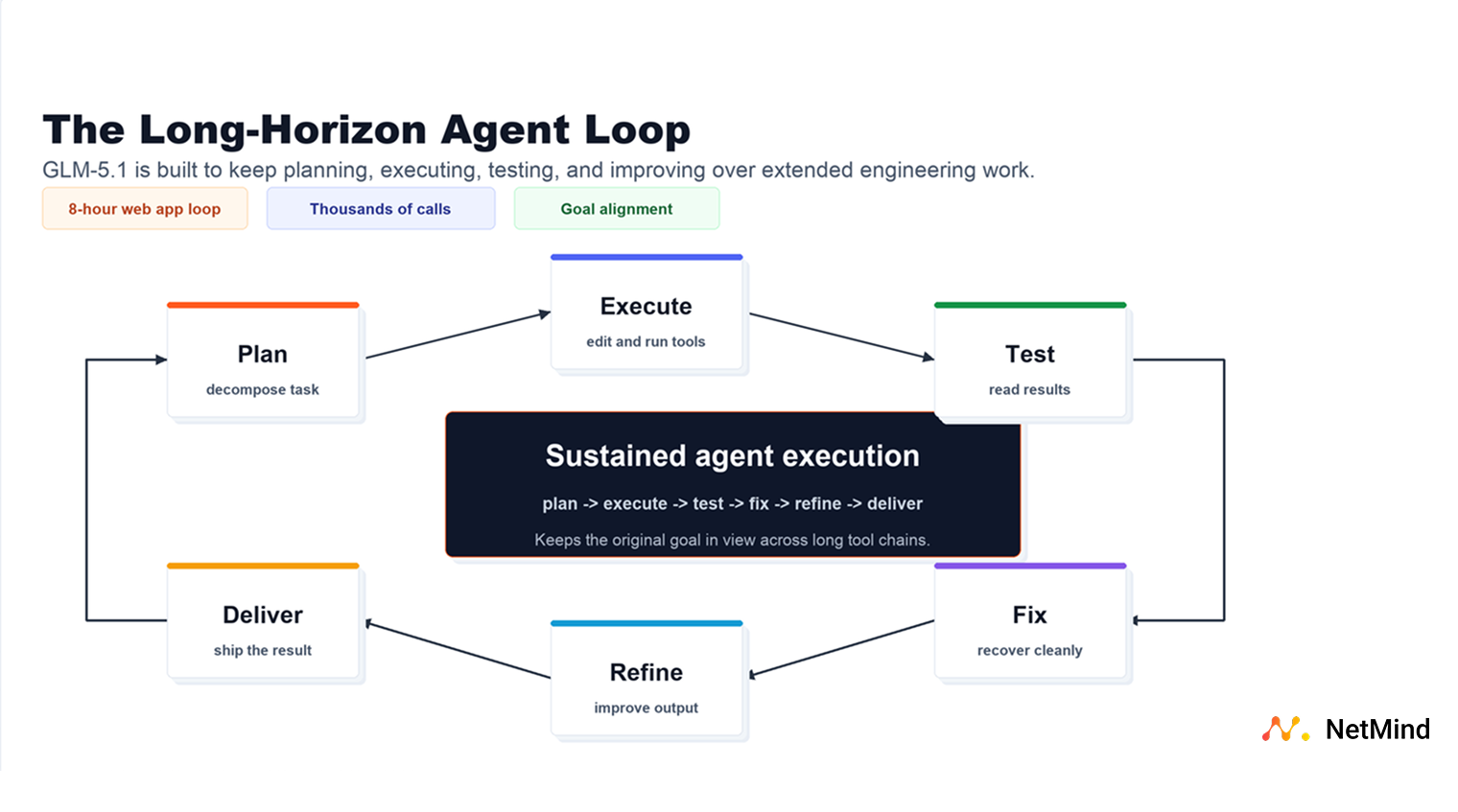
The practical value of GLM-5.1 is not just that it can write code. It is that it is designed for the loop around the code: inspecting a project, making changes, running tools, reading logs, fixing failures, and deciding what to try next.
For builders, that makes GLM-5.1 especially relevant when:
GLM-5.1 fits especially well into workflows where the model needs to do more than produce a polished answer. It is a strong candidate for:
With GLM-5.1 now on NetMind, developers get a new open-weight option for the hardest part of agent work: staying useful after the first answer.
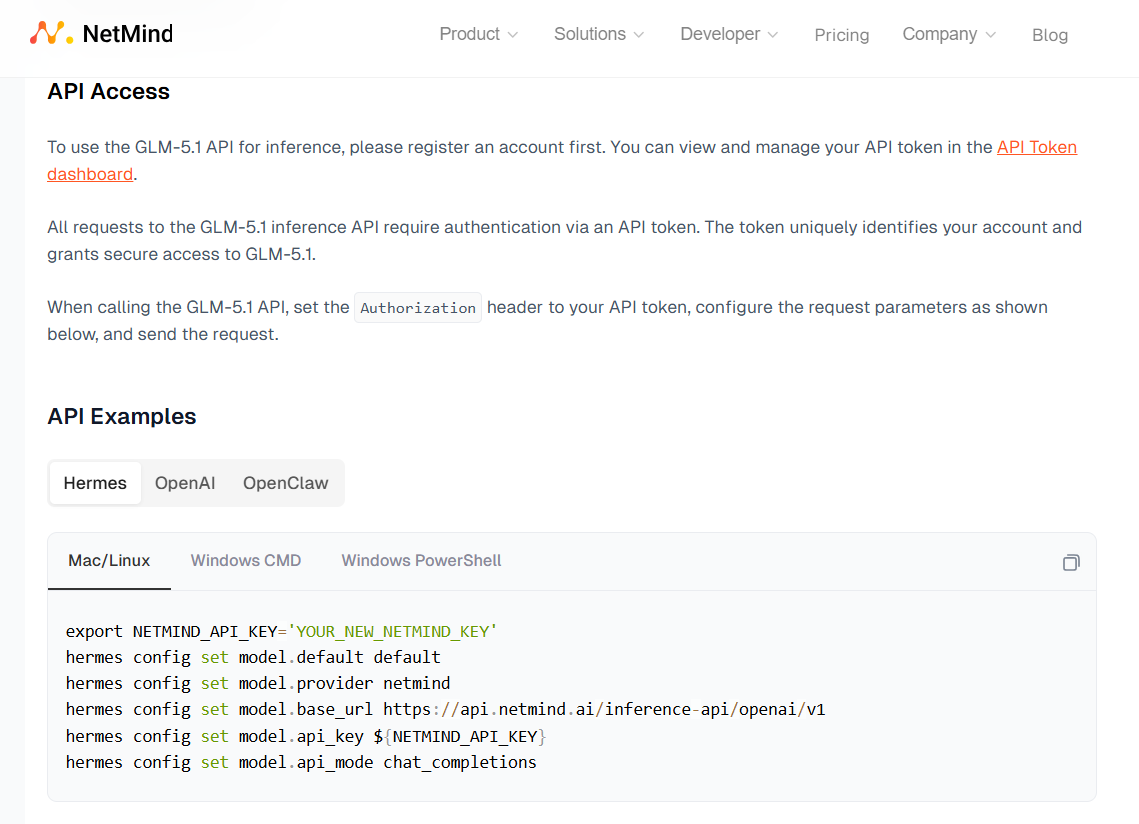
NetMind gives you managed access to all models through the same OpenAI-compatible API surface you already use:
Swap the model name to pick the right tier. Everything else (your SDK, your prompts, your tool definitions, your agent loop) stays the same.
We know you want to power your most productive tools with GLM as easily as possible, so we have provided ready-to-use code for you to copy and paste.
GLM-5.1 is now available in the NetMind Model Library at $1.00 per million input tokens and $3.20 per million output tokens, with a 200k context window and function calling support.
If you are building the next generation of coding agents, autonomous engineering workflows, or long-context AI applications, GLM-5.1 is ready to run on NetMind today.
Grab your API key, point your agent at NetMind, and start building.
If you build something with GLM-5.1, we want to see it. Join the discussion in our Reddit community.
User-Agent: